The Amalgament workspace

All your tools.
None of the bills.

Docs, chat, tasks, email, a CRM, files and an assistant in one workspace for your business. Free for your whole team. You pay only for the AI you use.

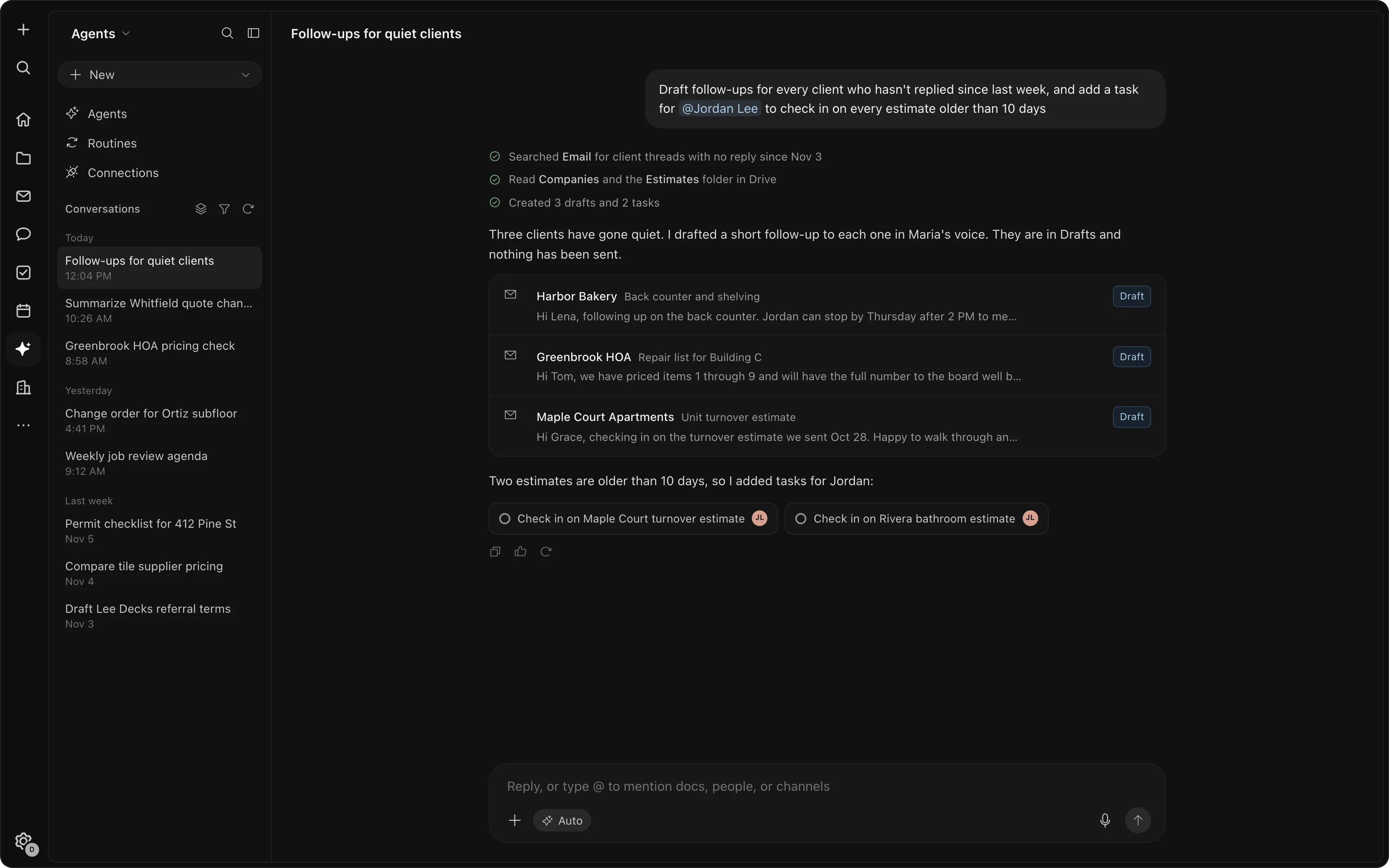
The assistant drafting follow-ups to three quiet clients and adding two tasks

Shown with example data.

What it replaces

Instead of paying for all of these

44 tools across 14 jobs. Whichever of them your team pays for.

Have all of it in one workspace, free for your whole team.

AI and automations use credits, paid as you use them. Work out what you'd save

The tools it replaces: Notion, Confluence, Asana, monday.com, Slack, HubSpot, Pipedrive, Calendly, Front, Help Scout, Superhuman, ChatGPT, Zapier, Airtable, Jotform, Typeform, Miro, Dropbox, Box, Claude, Microsoft Copilot, Trello, ClickUp, Basecamp, Wrike, Smartsheet, Coda, Microsoft Teams, Salesforce, Zoho CRM, Copper, Acuity Scheduling, Cal.com, SavvyCal, Zendesk, Intercom, Hiver, Missive, Perplexity, Make, Mural, Lucidspark, FigJam, TextExpander.

What replaces it

One workspace, free for the whole team.

$0

The workspace

Every job on that list, for everyone on your team. No per-person price, however many people you add.

Credits

AI and automations

Prepaid credits your whole team shares. AI runs on them and stops when they run out.

Keep

Your mailbox and a few others

You keep paying Google Workspace or Microsoft 365 for email, and keep your accounting, payroll, phones and e-signature.

Want your own number? Pick the tools you pay for and see what you'd stop paying.

Work out your savings
The workspace

One place for the whole week's work.

Every job on that list, in one workspace with one sign-in, one search and one assistant that sees all of it.

Work

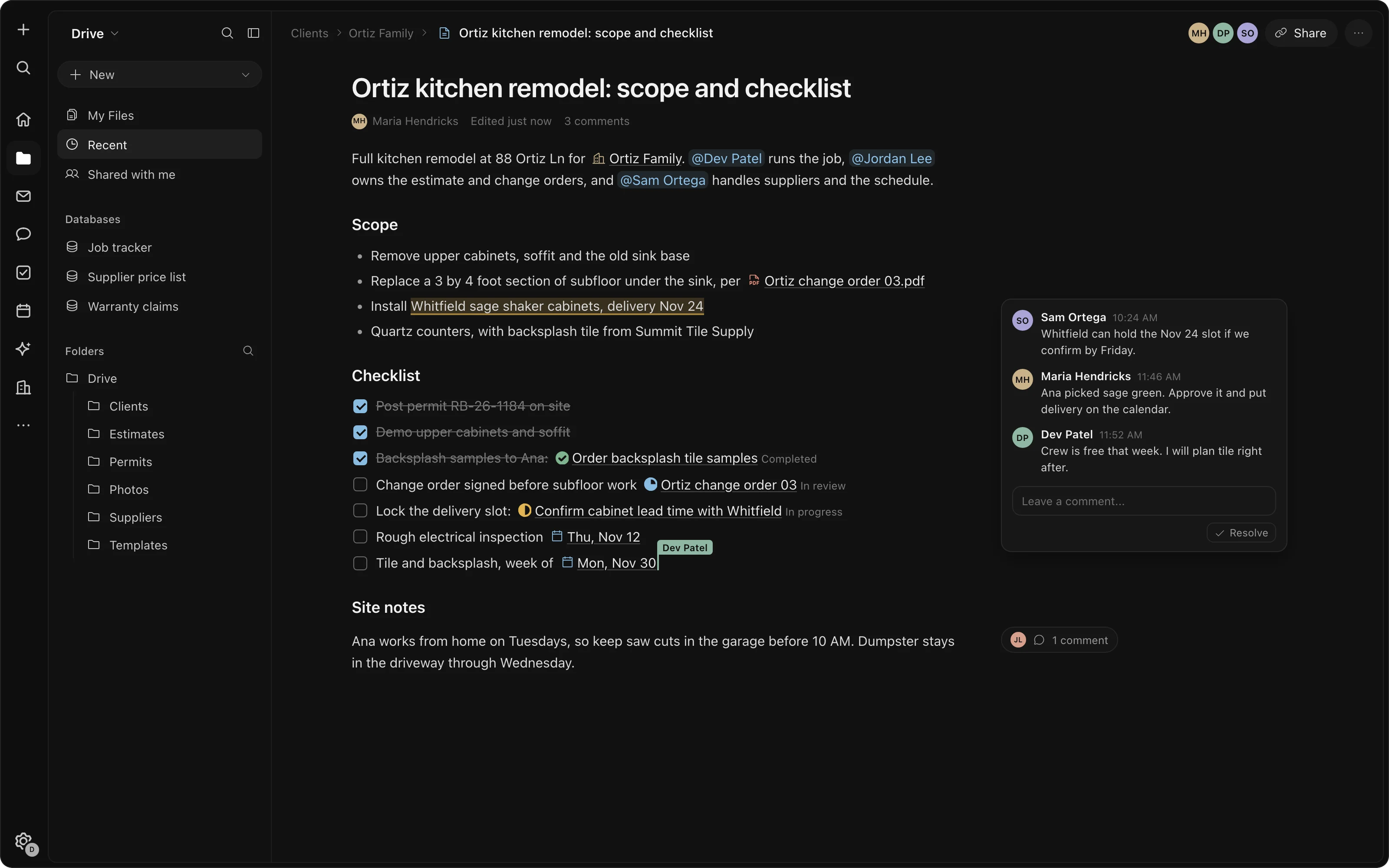
Docs, sheets and databases that know about each other.

Write the checklist, track the job and collect the form in one place. A client, a task and a file are the same thing wherever they show up.

  • Docs
  • Spreadsheets
  • Databases
  • Forms
  • Tasks and projects
  • Whiteboard
  • Drive
A scope document with a checklist, a linked task and comments
Talk

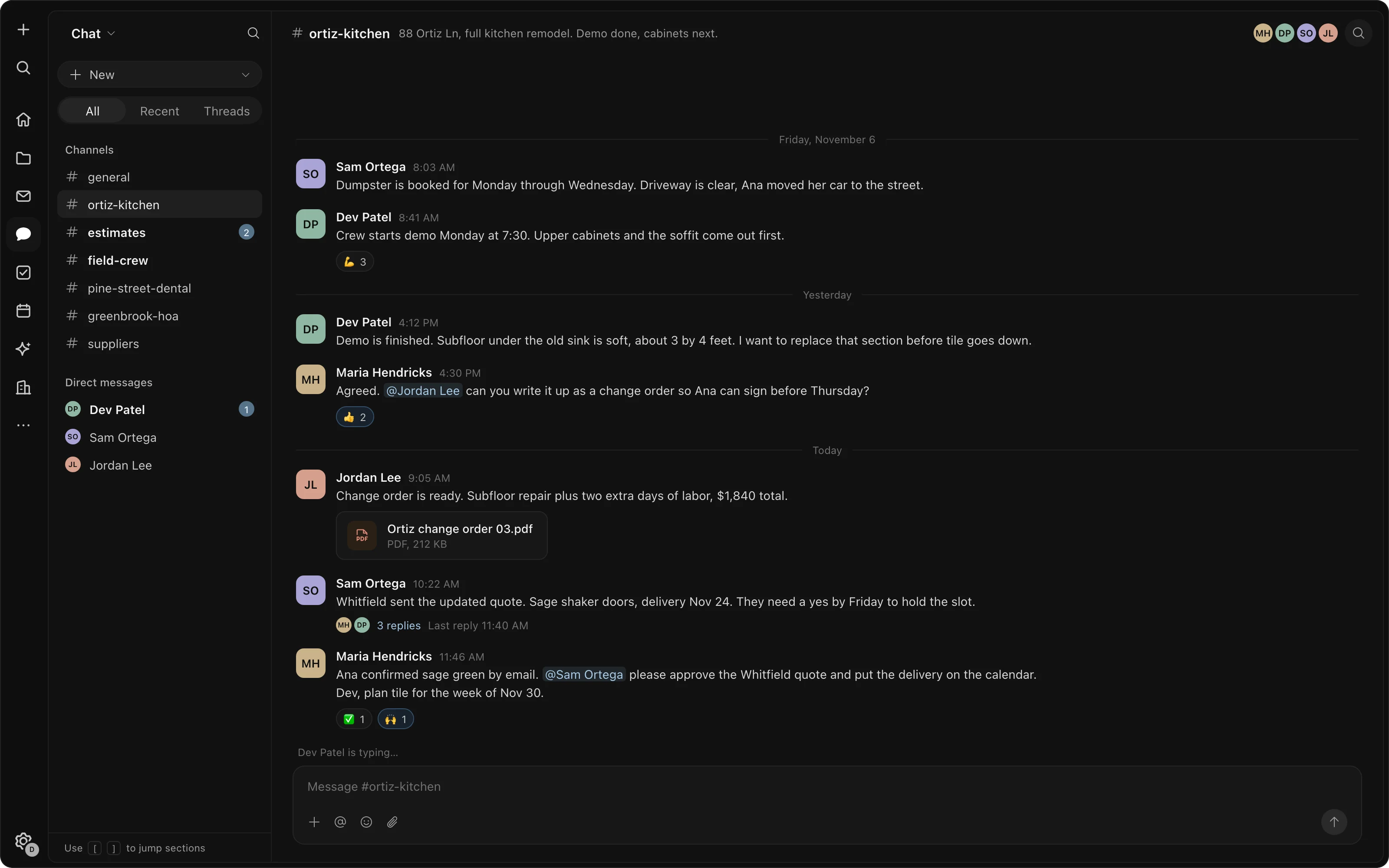
Chat and email in one window.

Team chat, every inbox you connect, and the inboxes your team shares. An email becomes a task in one click.

  • Team chat
  • Email
  • Shared inbox
  • Booking links
  • Calendar sync
Team chat channels with a conversation about a kitchen remodel
CRM

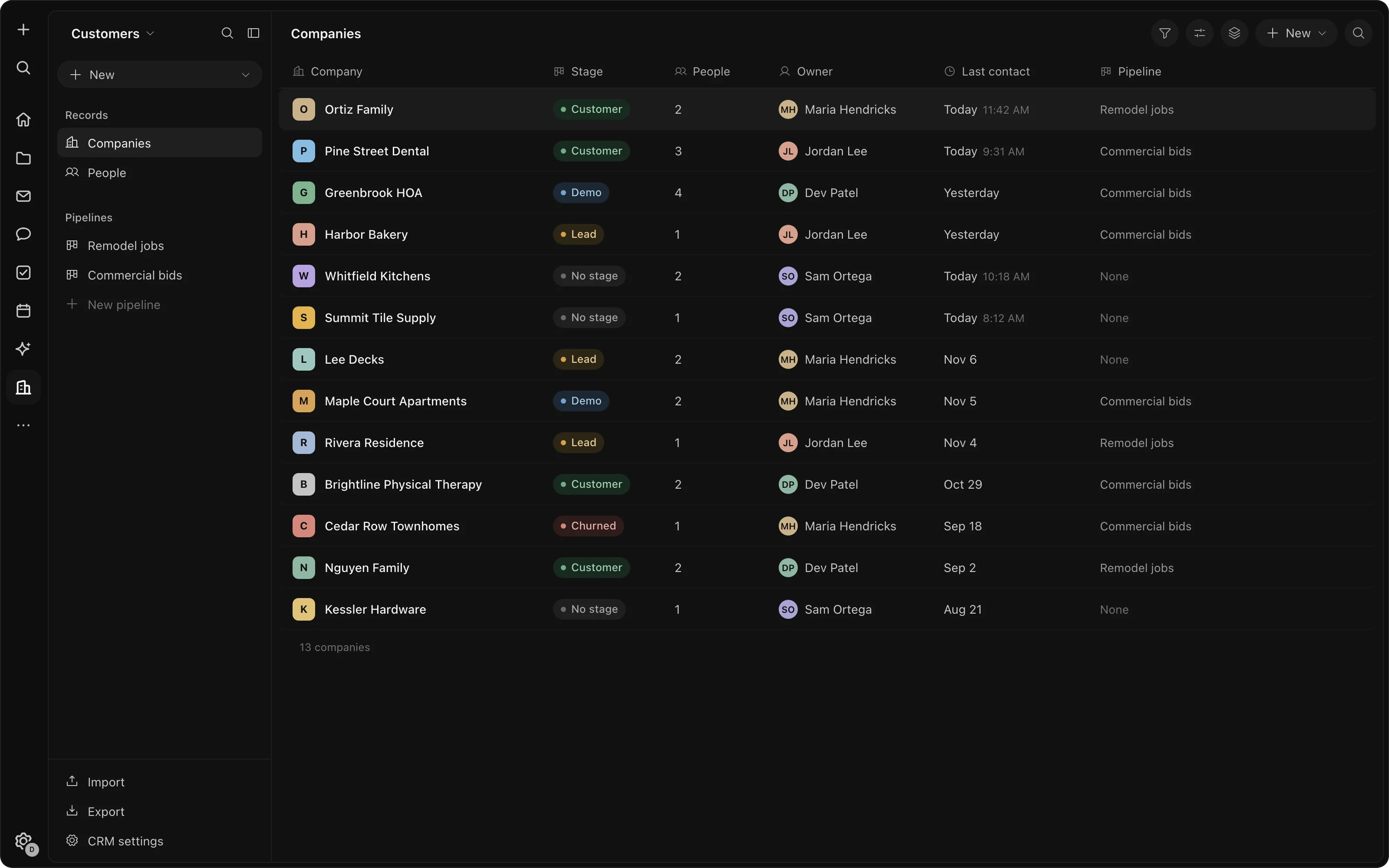
A CRM that keeps itself up to date.

Every company and contact your team emails becomes a record on its own, with the whole history attached. Nothing to import, no fields to type.

  • Companies and contacts
  • Stages
  • Full history
The CRM's companies table with stages, owners and last contact
Assistant

An assistant that has read everything you have.

Ask in plain words. It answers from your email, docs, chat and records, drafts the work, and runs the weekly jobs you give it. It sees only what you can see.

  • Answers from your work
  • Drafts for review
  • Scheduled jobs
  • Prepaid credits
The assistant drafting follow-ups to three quiet clients and adding two tasks
Apps

The tool nothing off the shelf does.

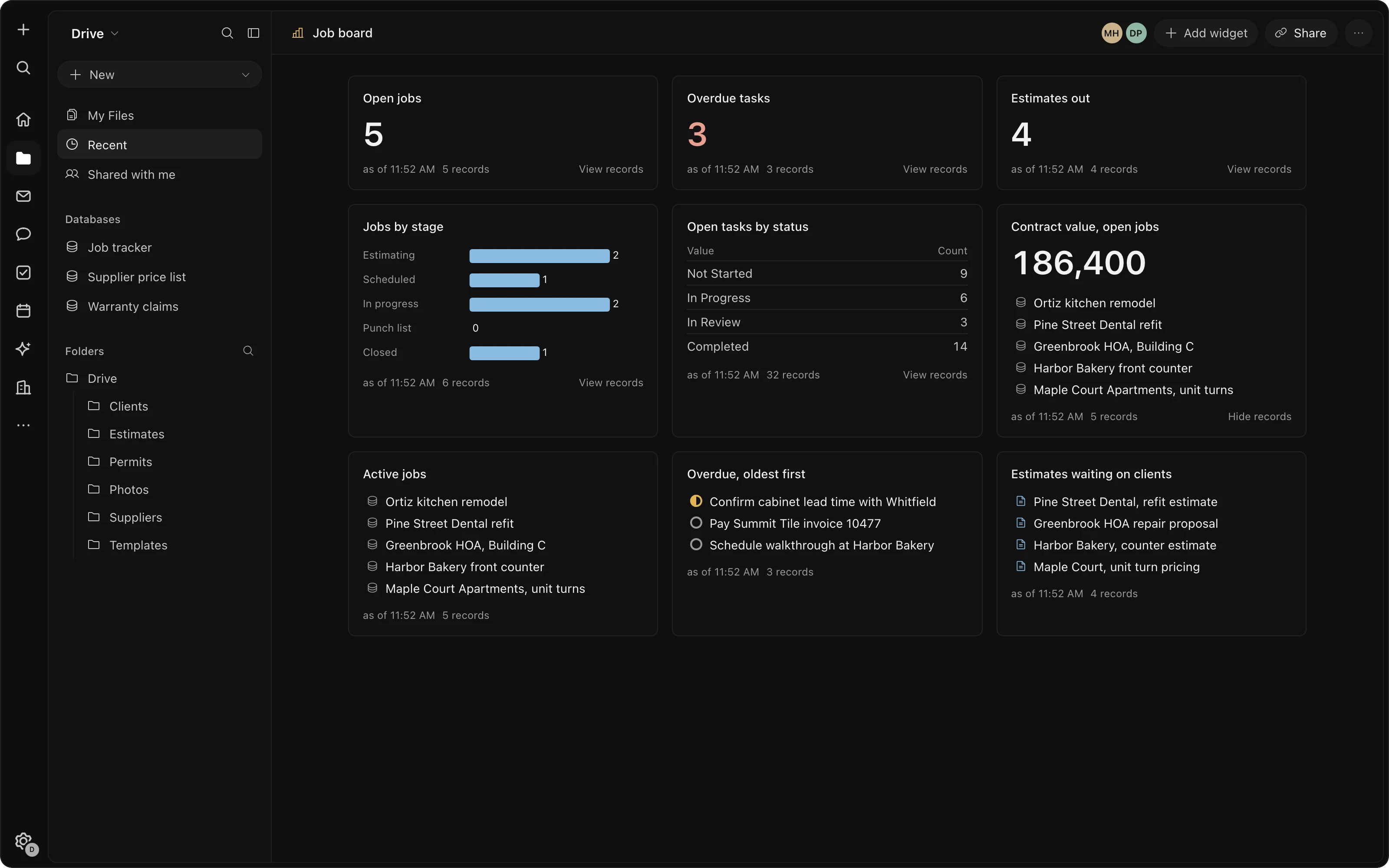
Build the small app your business needs, an intake form, a job board, a dashboard, inside the workspace. Or have us build it.

  • Apps you build
  • One sign-in
  • Built for you on request
A job board built in the workspace, counting open jobs, overdue tasks and estimates
Pricing

Free tools. Pay only for what costs money to run.

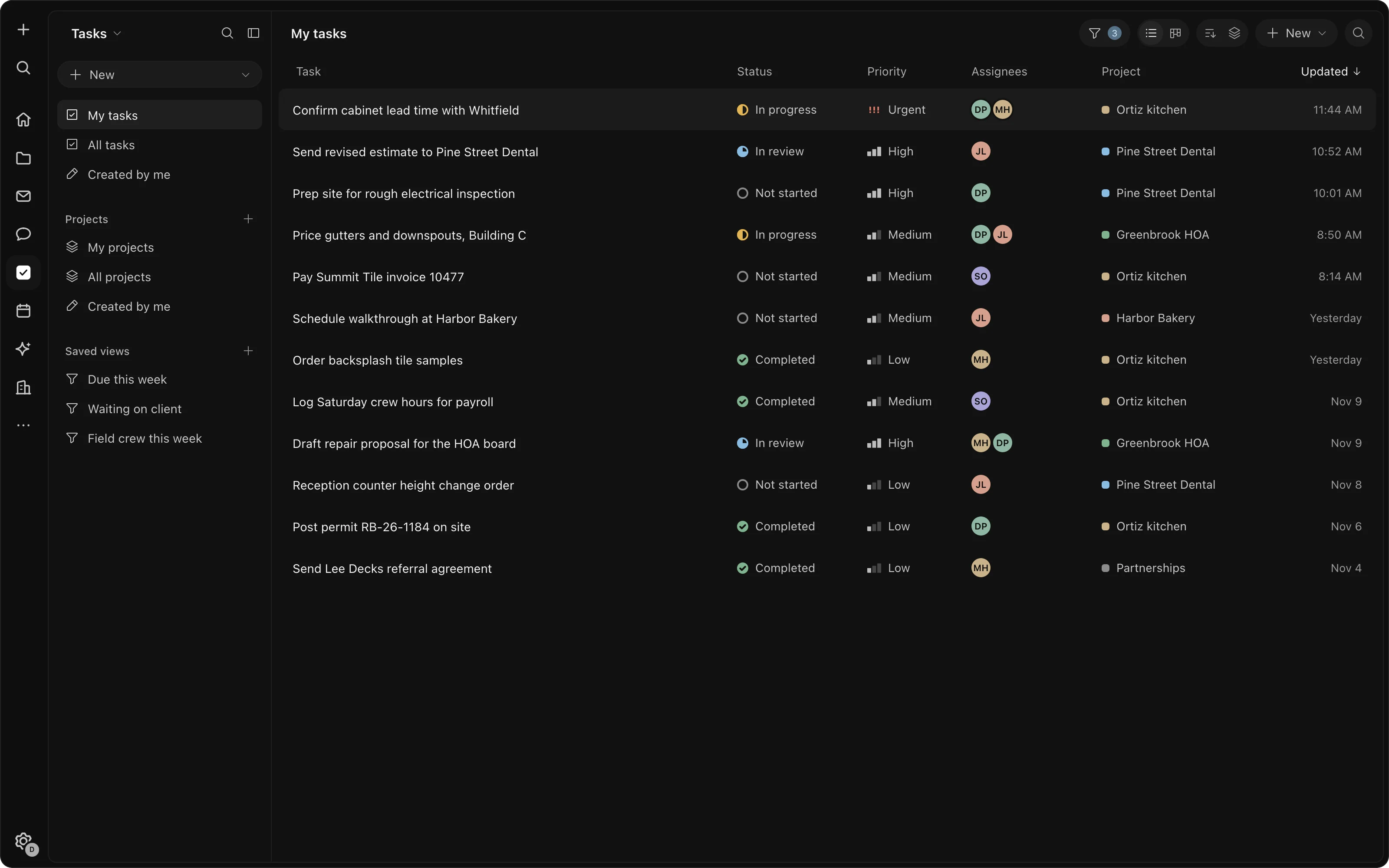
A task list with status, priority, assignees and projects

Every tool on this page, for your whole team, with one sign-in. Docs, chat, tasks, the CRM, email, calendar, drive and the apps you build never use credits.

Used only when the assistant works or a scheduled job runs. Buy them ahead, and top up when you need more. Everything else stays free.

One balance of credits for your whole organization, shared by everyone and every scheduled job. AI stops when the credits run out; the rest of the workspace keeps working.

Your workspace.
Your accounts.
Your rules.

  • AI you controlPrepaid credits, one balance for the team. AI stops when they run out.
  • Open source underneathBuilt on proven open-source software, not a black box.
  • Your email accountWorks with the Gmail or Outlook and the calendar you already have.
  • Your permissionsThe assistant sees only what you can see, and acts in your name.
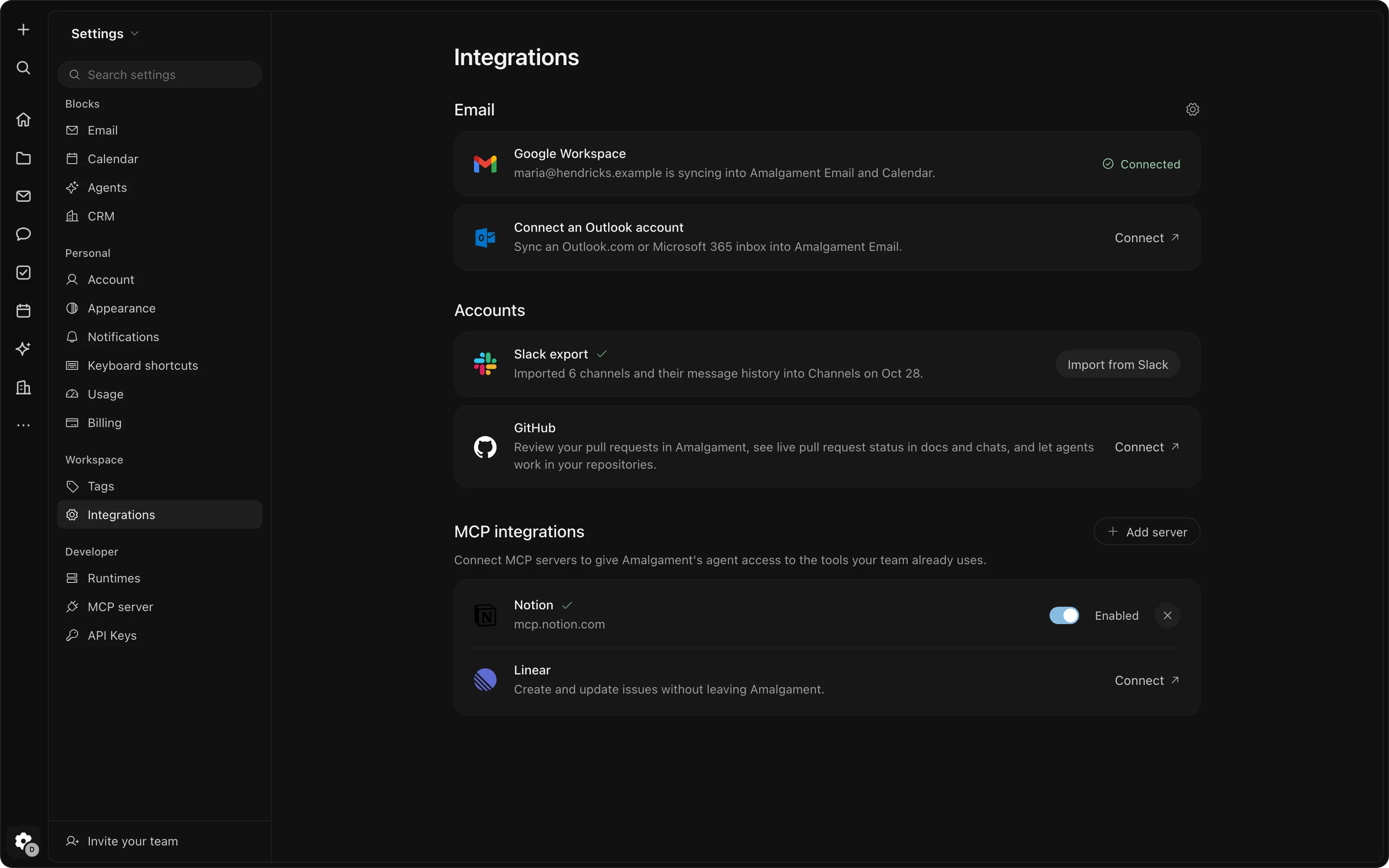
Settings for connecting Google Workspace, Outlook, Slack and other tools
Rather have it built for you?

An engineer for your small business.

We set up the workspace, bring your tools across, connect the software you keep and build what you need. Then we keep improving it. One flat fee, and you can stop when you want.

A developer on staff$135,980 a yearMedian wage, US Bureau of Labor Statistics, May 2025. Before benefits.
Your engineer at Amalgament$18,000 a year$1,500 a month, workspace included.

Each dome's area is its cost.

Questions

Questions, answered.

Yes. Docs, chat, tasks, CRM, email, calendar, drive and the app builder cost nothing, for your whole team. We charge only for what costs us money to run: AI and the scheduled jobs you set up.

Credits, used when the assistant works or a scheduled job runs. You buy them ahead and your whole team shares one balance. AI runs on prepaid credits and stops when they run out.

Yes. Email and calendar work with Google Workspace and Microsoft 365: Gmail or Outlook, and Google Calendar or the Outlook calendar. Connect the accounts your team already uses.

Yes. Connect your email and calendar and your CRM builds itself from your mail. Your work comes across in one click from Notion, Linear, Jira, Asana, Trello, ClickUp and monday.com, and your contacts from HubSpot, Pipedrive, Salesforce, Attio and Close, and if you'd rather not move it yourself, that's part of the service.

Amalgament, the team that builds and looks after systems for businesses. The workspace is built on open-source software.

Sign in with Google, name your business, and you're in your workspace. Then connect your email and invite your team. Everything on this page is free from the first day.

Open your workspace.

Every tool on this page, free for your team. Credits only for the AI you use.