One workspace for how your business runs.
Docs, spreadsheets, tasks, chat, email, calendar, a CRM, files and an assistant, built as one system. This is the tour: what each part does, how they connect, and what it doesn't do.
Shown with example data.
Four layers, one system.
Most businesses run on tools that never talk to each other. Here each layer builds on the one below it, so a client is the same record in the inbox, the CRM, the calendar and the assistant.
Your information
Docs, sheets, forms and files in one Drive, with email and chat attachments filed there on their own.
Docs · Sheets · Drive · WhiteboardOne record of the business
Every company your team emails becomes a record, and anything can be linked to anything with an @mention.
CRM · Links · Tags · SearchThe daily work
Chat, the inbox, tasks and the calendar, all working from that same record.
Home · Chat · Email · Tasks · CalendarThe assistant on top
An assistant that reads what you can read, drafts the work and runs your routine jobs on a schedule.
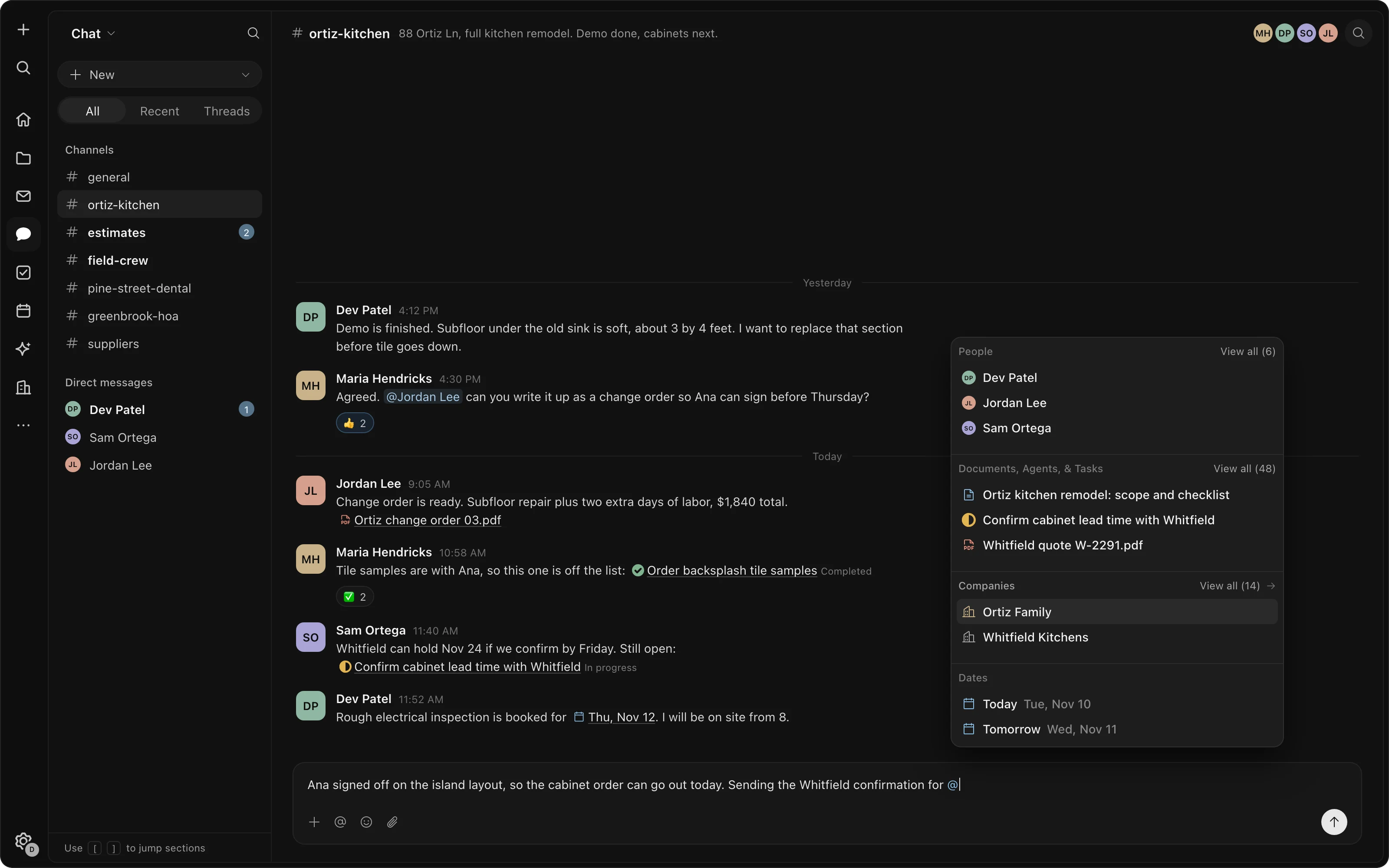
Assistant · RoutinesMention anything, anywhere.
Type @ in a doc, an email, a chat, a task or a question to the assistant, and link a person, a client, a file or a date. The link works both ways and always shows the current state, so a task mentioned in a chat shows whether it is done.
- One set of tags
- The same tag on an email, a task and a doc. Click it to see all of them.
- One search
- Across documents, email threads, messages, tasks and files.
- One record per client
- Mention a client in a channel and everyone there sees its emails, notes and contacts.
Every part, working together.
Every part on one sign-in, each built to know about the others. Here is what each one does.
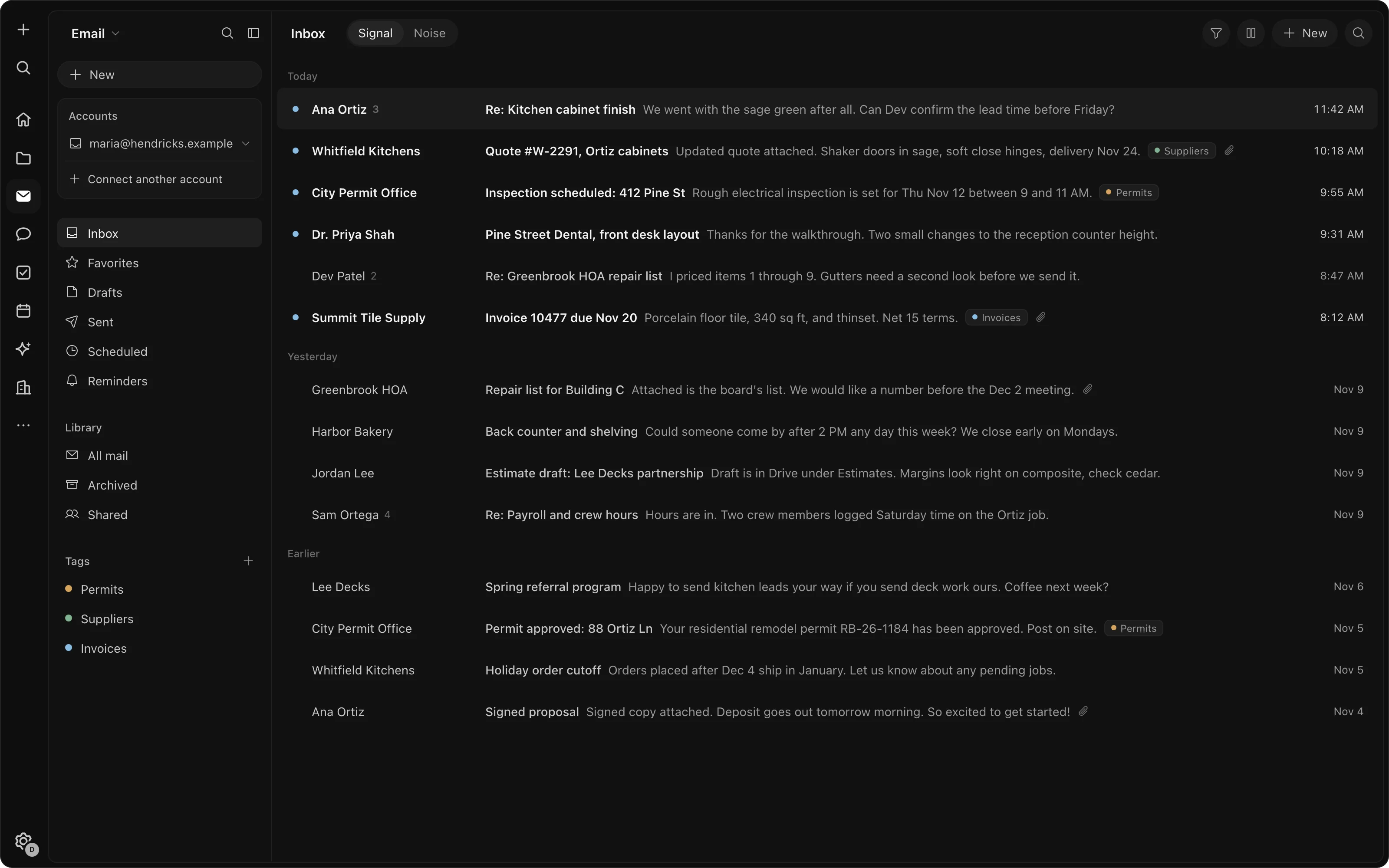
One feed for everything that needs you.
Email from every connected account, chat, tasks assigned to you and finished assistant work, in one list. Important things stay on top; newsletters are set aside.
- Several inboxes in one list
- Drafts written for you to check
- Keyboard triage
Write it and work it out together.
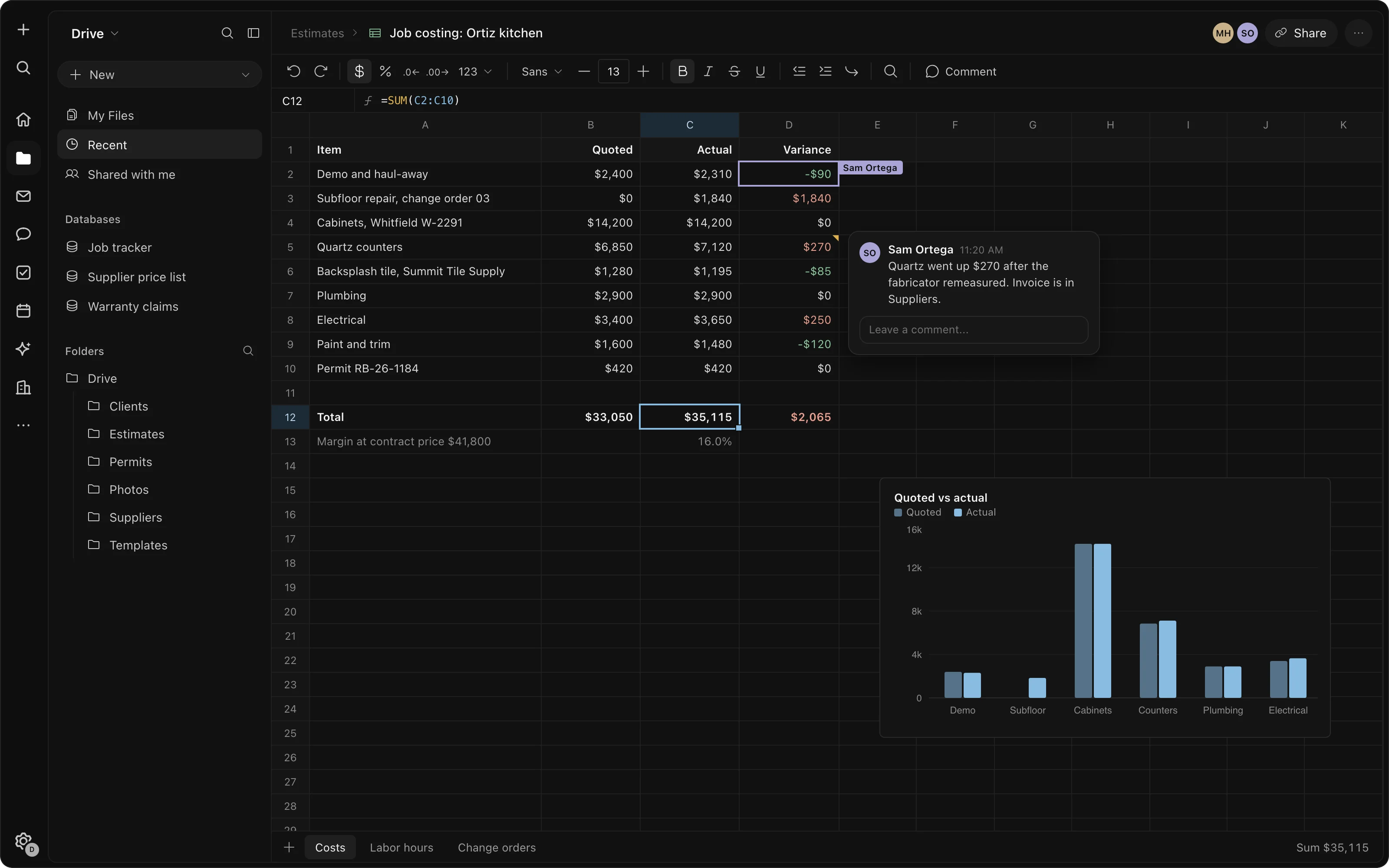
Documents and spreadsheets several people edit at once, with comments and version history.
- Comments and history
- Live charts
- Client view by link
Tasks that stay current wherever they appear.
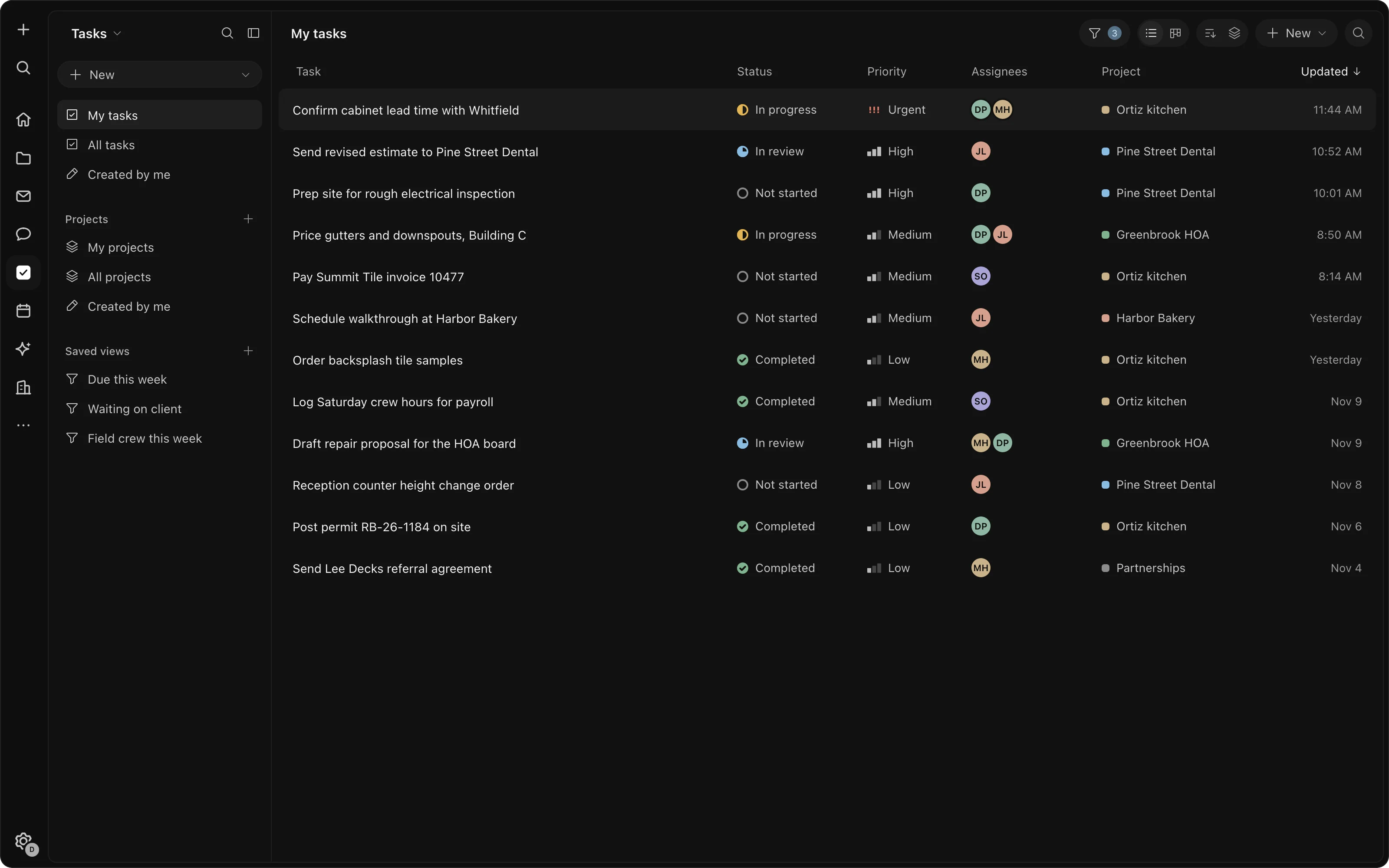
Status, priority and assignee. Turn any email or message into a task, group tasks into projects, and mention one anywhere to see whether it's done.
- Shared with the team
- List or board
- From email in one click
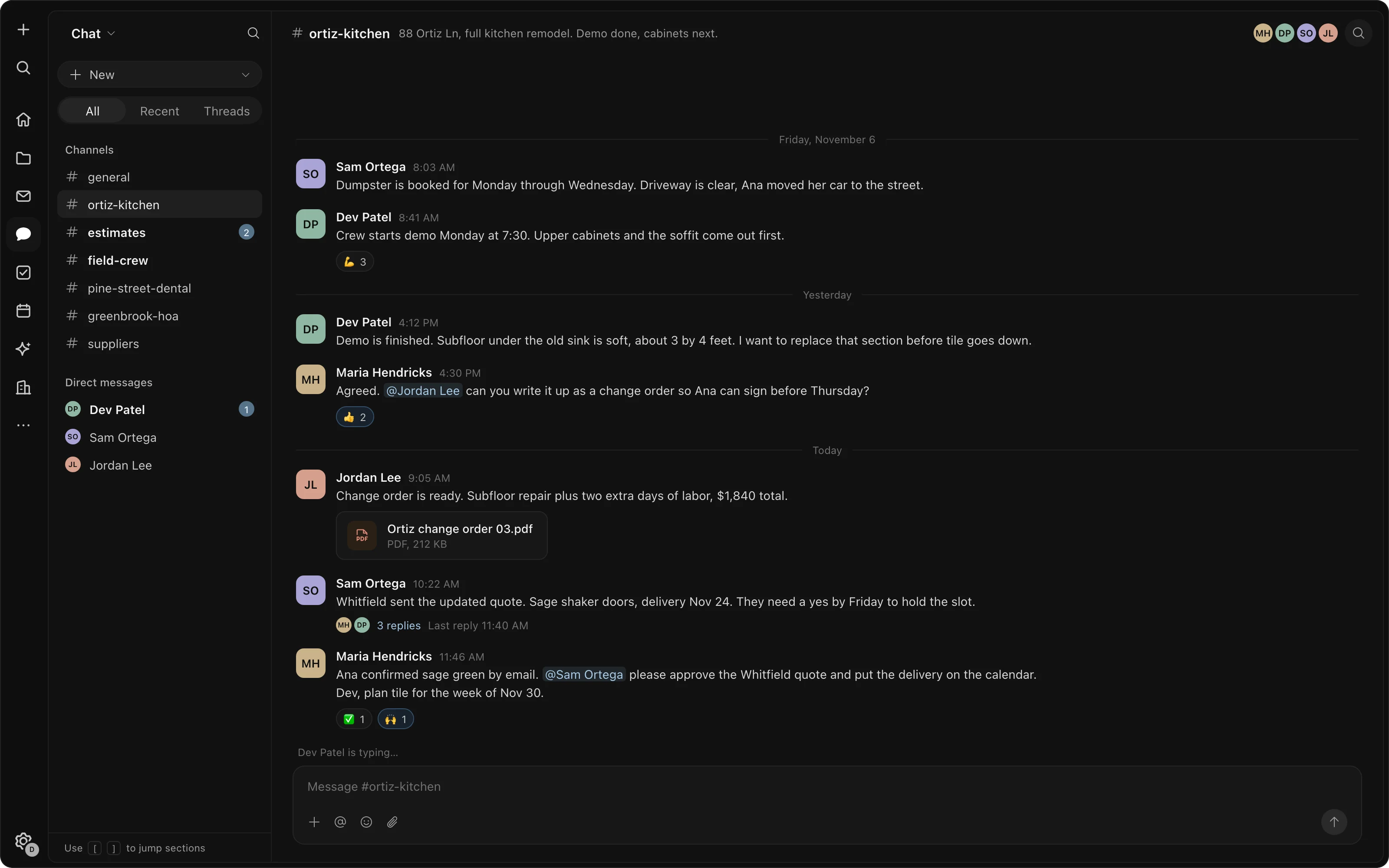
Talk it through, and keep the history.
Team and private channels, threads and direct messages. Everything said stays searchable, so someone who joins later can read how a decision was made.
- Full history for newcomers
- Threads and direct messages
- Guests by email
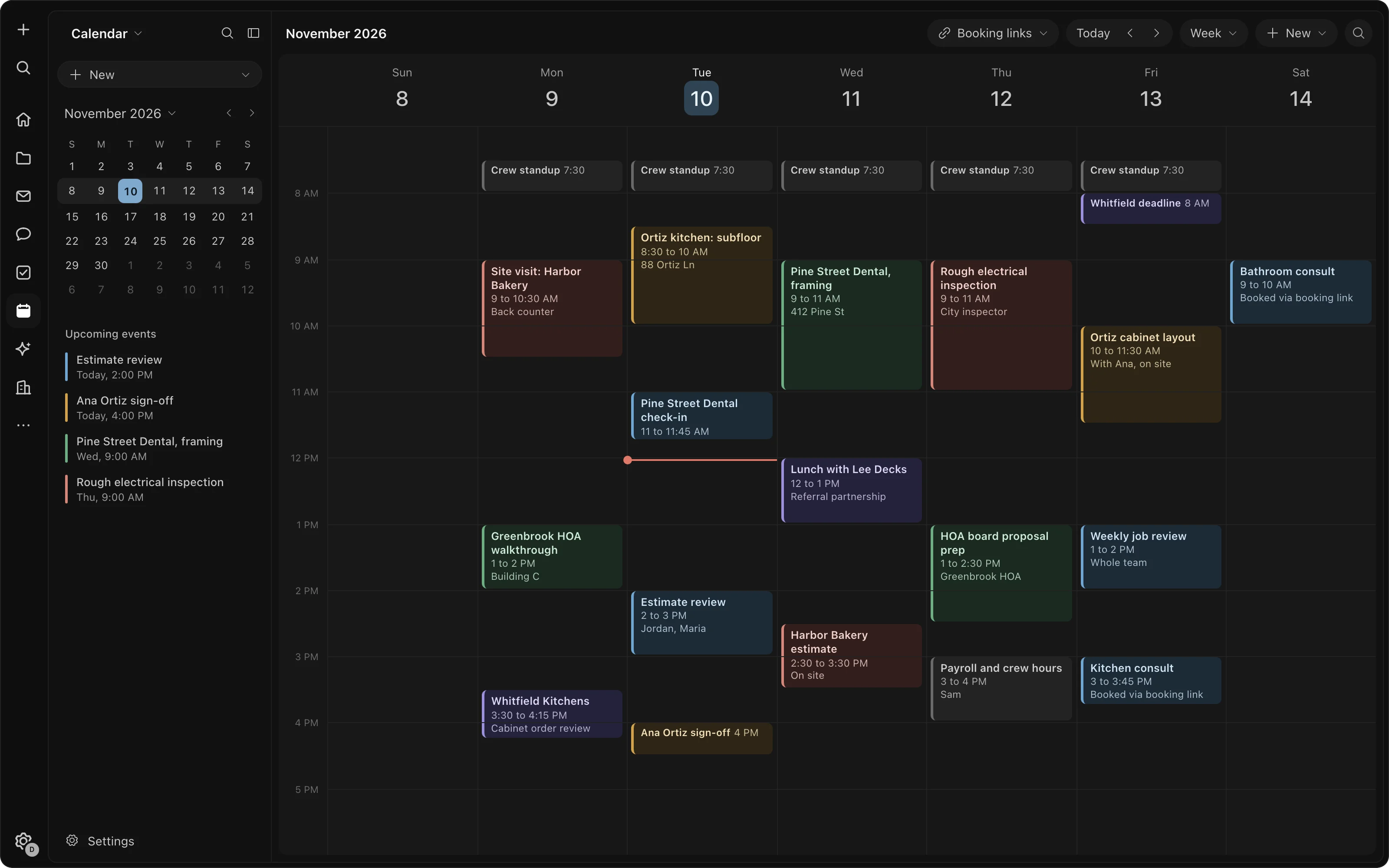
Your calendar, and a page clients book from.
Your Google or Outlook calendar inside the workspace, syncing both ways, and booking links with buffers, notice times and questions. Guests don't need an account.
- Two-way sync
- Round-robin for teams
- Copy availability as text
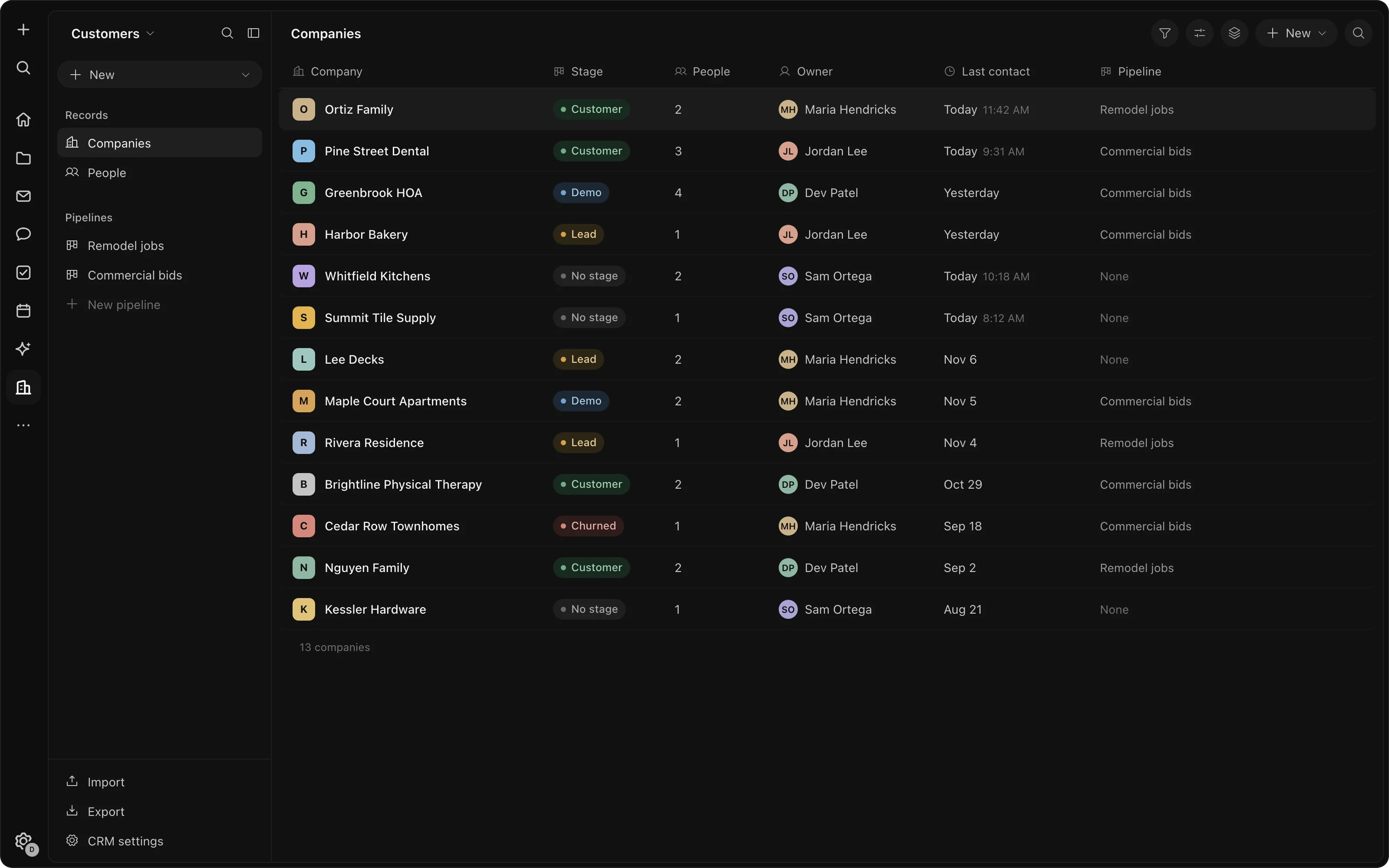
A CRM that builds itself from your email.
When anyone on your team emails a new contact, a record is made and grouped with their company. Every record has its history and its own discussion; your team sets the stage.
- Records from email
- Board or list
- Sharing per company
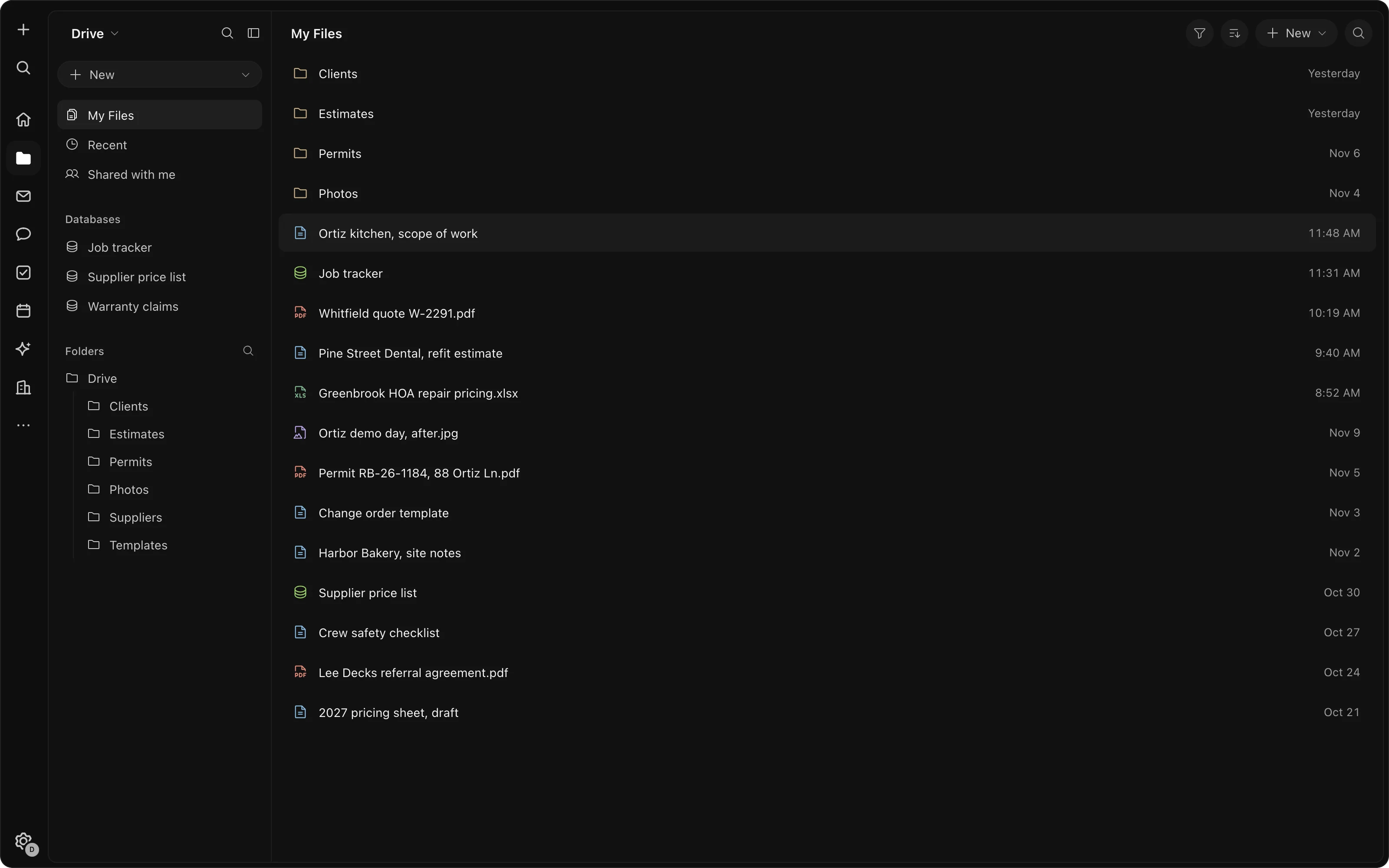
Find anything, wherever it was said.
One search across documents, email, chat, tasks and files. Attachments are filed to Drive on their own, and one set of tags works across all of it.
- One search for everything
- Attachments filed for you
- One set of tags
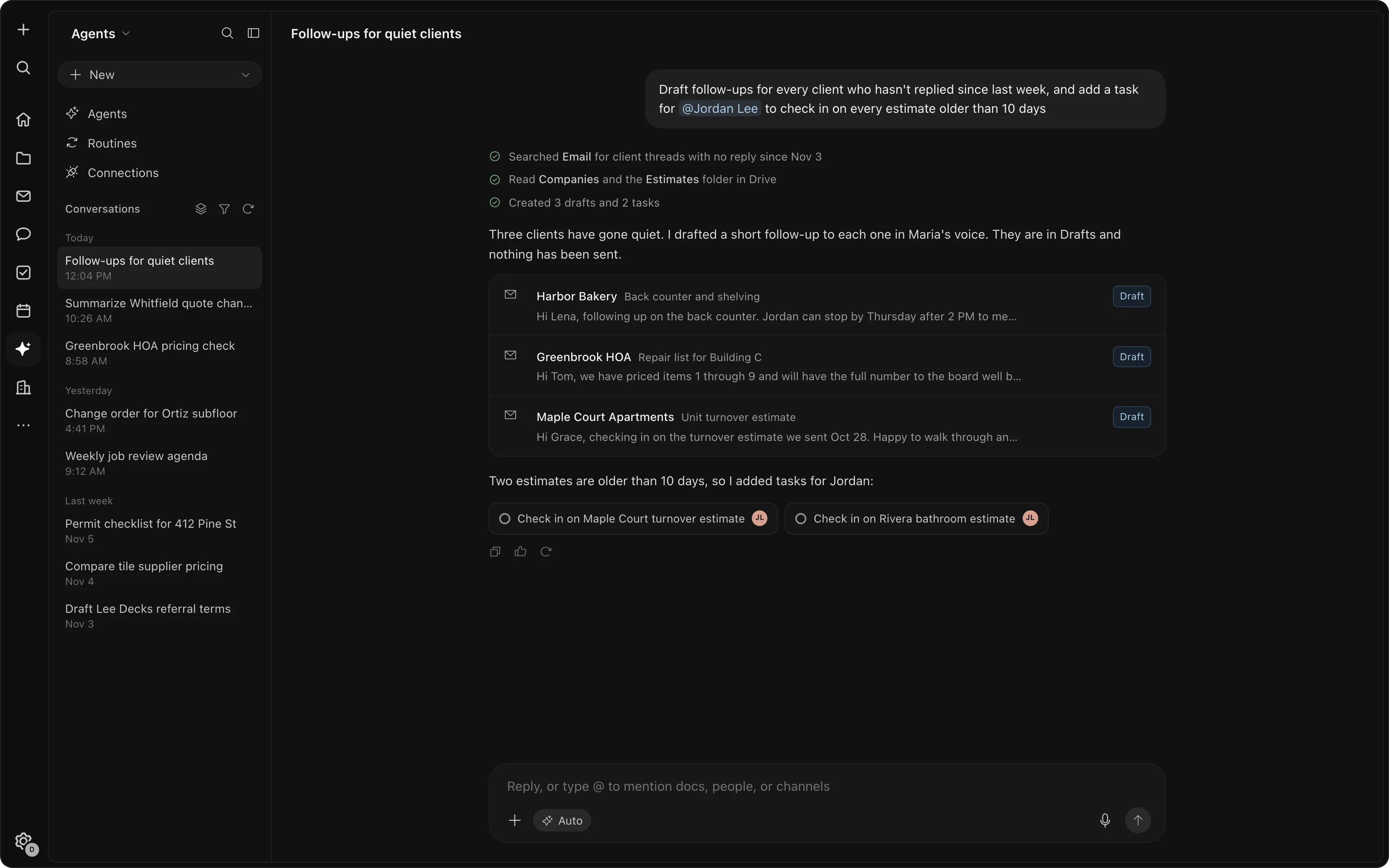
An assistant that knows the whole workspace.
It answers from your email, messages, tasks and docs, drafts the work, and runs routines, the weekly chores you hand it, on a schedule. It sees only what you can see. AI and routines use credits.
- Drafts for review
- Routines on a schedule
- Prepaid credits
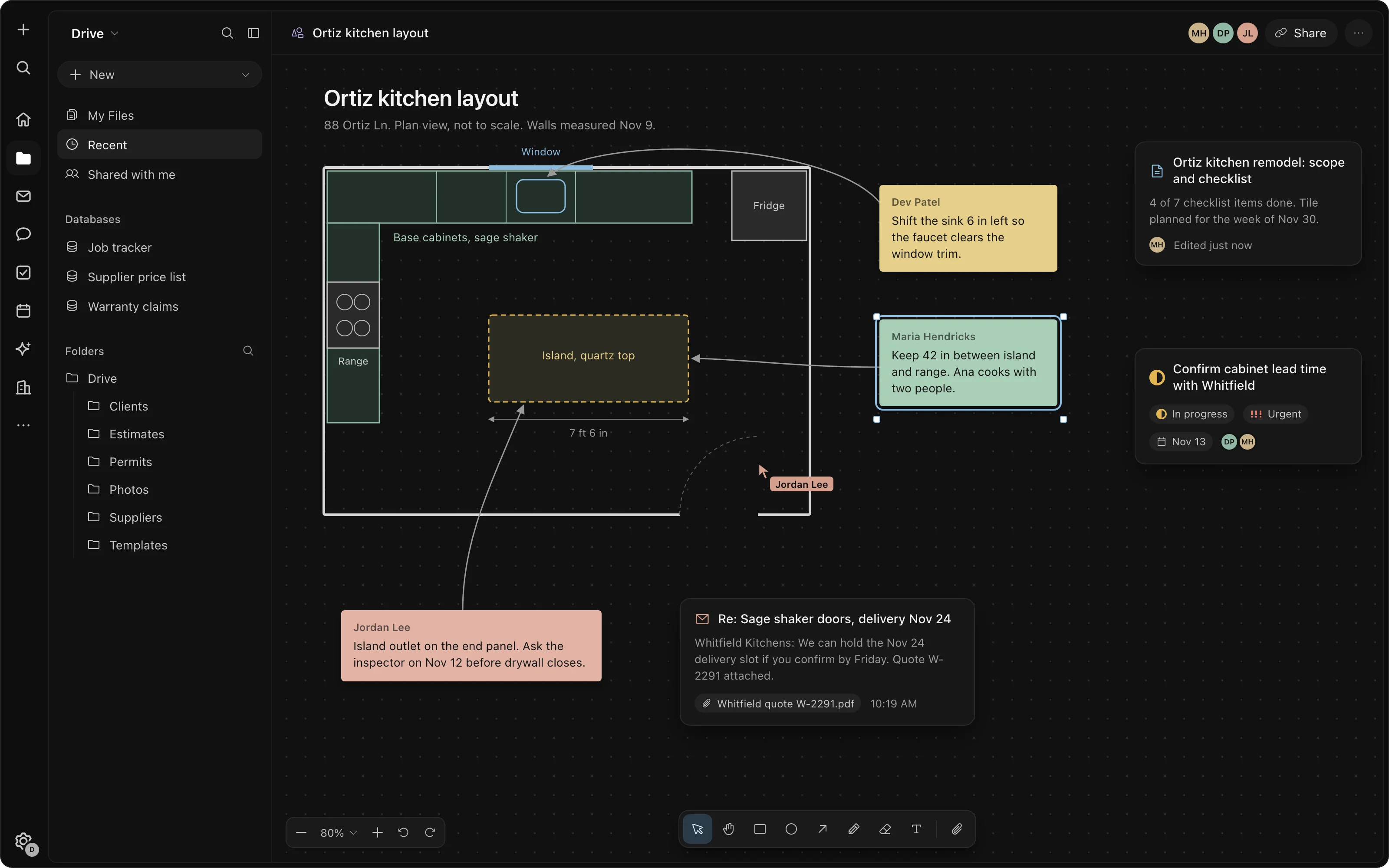
The tool nothing off the shelf does.
A board for plans with live tasks and docs on it, and small apps built inside the workspace, like an intake form or a dashboard. Or have us build them.
- Live items on the board
- Apps on the same sign-in
- Built for you on request
Connect your accounts, bring your work.
Connect Gmail or Outlook and your calendar. Your work comes across in one click from Notion, Linear, Jira, Asana, Trello, ClickUp and monday.com, your contacts from HubSpot, Pipedrive, Salesforce, Attio and Close, and your Slack history from its export. More are added all the time.
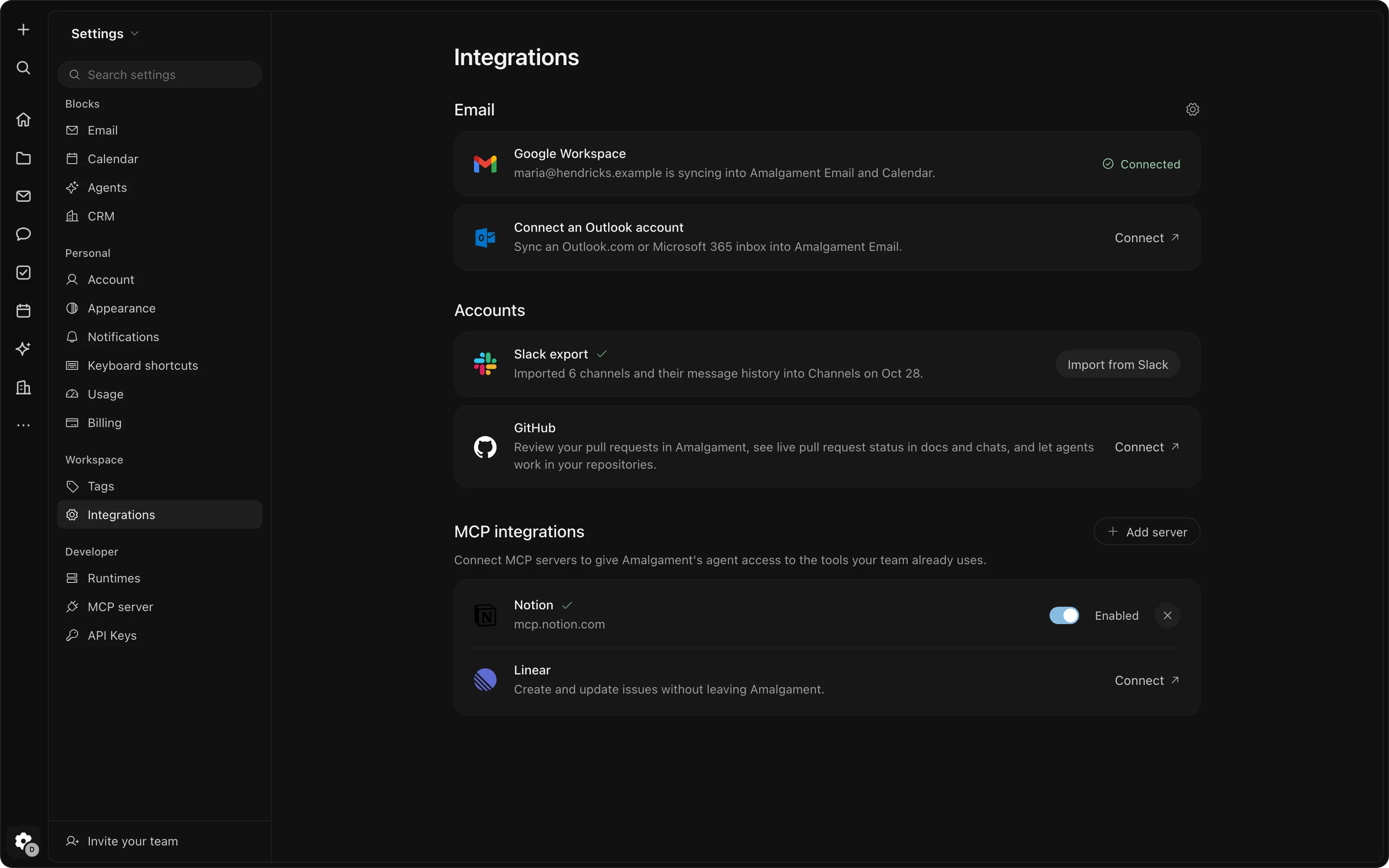
Private by design.
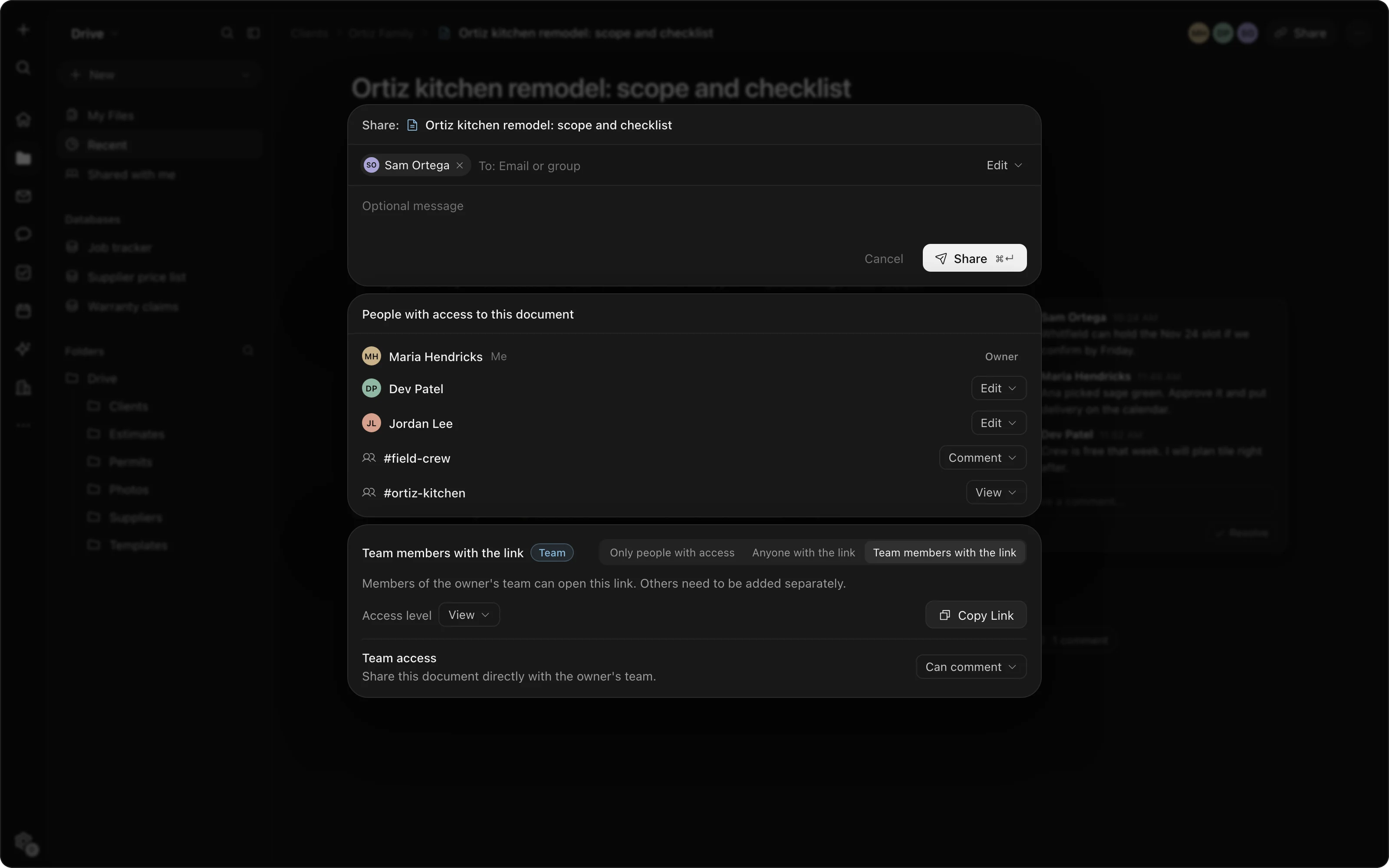
- Your permissionsThe assistant and every routine see only what their owner can see, and act in that person's name.
- Sharing you controlOwner, editor, commenter and viewer access on every doc, sheet, folder and board; team or private channels.
- Email sharingTurn team email sharing off for any company in the CRM.
- Open source underneathThe workspace is built on proven open-source software, not a black box.
What it doesn't do.
We'd rather you hear it here than find out later.
Accounting, payroll, phones and e-signature
Keep QuickBooks, your payroll provider, your phone system and DocuSign. We can connect them for you.
Editing Office files
PDFs, Word files and slides open to read, not to edit.
Free AI
The tools are free. The assistant and routines use prepaid credits, and AI stops when they run out.
Want it set up and moved in for you? That's the service Talk to us
See it with your own work.
Free for your whole team; credits only for the AI you use.